Rugged Device Management Made Simple with MDM: Features, Benefits, and Best Practices
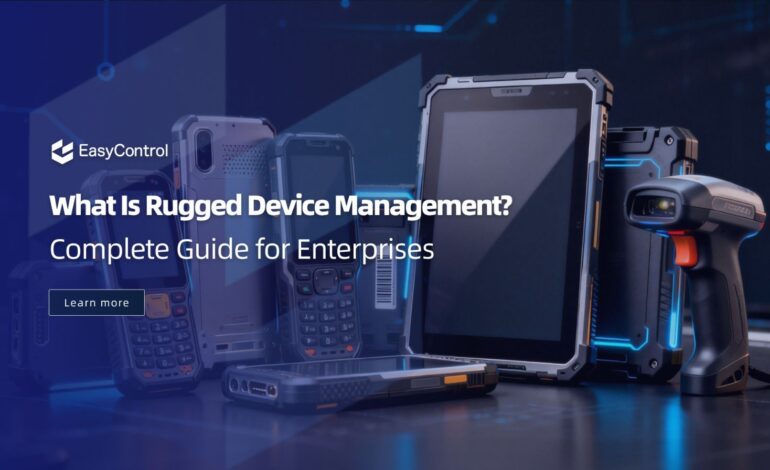
Warehouses, construction sites, hospitals, factory floors — these are not gentle environments for technology. Devices get dropped, dust-covered, soaked in rain, and used non-stop across three shifts a day. That’s exactly why businesses invest in rugged devices in the first place: they’re built to survive. But surviving physically is only half the battle. Without the right management strategy, even the toughest hardware becomes a security risk, an IT headache, and a drain on productivity. This is where MDM rugged devices management steps in — turning a fleet of tough, distributed devices into a secure, efficient, and easy-to-manage digital workforce.
Why Rugged Devices Need Specialized MDM
Rugged devices — handheld scanners, industrial tablets, vehicle-mounted computers, and body-worn terminals — are deployed in demanding, often remote locations. Unlike office laptops that sit safely on a desk, these devices travel with delivery drivers, warehouse pickers, field technicians, and factory operators. That mobility and exposure create unique challenges: inconsistent network connectivity, higher risk of loss or theft, frequent firmware updates, and the need for zero-touch provisioning at scale.
A generic device management tool built for smartphones and laptops simply isn’t designed for this reality. Effective MDM rugged devices management must account for barcode scanner configurations, specialized OS versions (like Android Enterprise for rugged hardware), kiosk-mode lockdowns, and battery health monitoring — all things a standard MDM platform may overlook.
Key Features of a Strong Rugged Device MDM Solution
When evaluating a platform, look for these core capabilities:
- Zero-Touch Enrollment Large fleets of rugged devices need to be deployed fast, often across multiple locations simultaneously. Zero-touch enrollment lets IT teams configure devices remotely before they even reach the end user, cutting setup time from hours to minutes.
- Real-Time Monitoring and Diagnostics Since rugged devices often operate away from IT’s direct line of sight, real-time visibility into battery status, signal strength, storage usage, and device health is essential. This allows problems to be caught and fixed before they cause downtime.
- Remote Troubleshooting Sending a technician to a remote warehouse or job site for every device issue is expensive and slow. Remote screen sharing, reboot, and lock/wipe capabilities let IT teams resolve most issues instantly, without physical intervention.
- App and Content Management Rugged devices typically run a small set of mission-critical apps — inventory software, scanning apps, or field-service tools. A good MDM platform lets administrators push, update, and restrict apps centrally, ensuring every device runs the correct version.
- Kiosk Mode and Device Lockdown Many rugged devices are single-purpose tools. Kiosk mode locks the device to one or a few approved apps, preventing misuse and reducing the risk of employees accessing unrelated content.
- Geofencing and Location Tracking For field service and delivery operations, knowing where a device is located adds both security and operational value, helping recover lost devices and optimize workflows.
- Firmware and OS Update Management Rugged devices often run for 5–8 years in the field. Scheduled, staged firmware and OS updates ensure devices stay secure and compatible without disrupting daily operations.
The Business Benefits of MDM for Rugged Devices
Reduced Downtime When a scanner or tablet stops working mid-shift, every minute of downtime costs money. Centralized management and remote troubleshooting dramatically cut repair and resolution times.
Stronger Security Rugged devices frequently carry sensitive business data — inventory records, customer information, or operational data. MDM enforces encryption, password policies, and remote wipe capabilities if a device is lost or stolen.
Lower Total Cost of Ownership Automated provisioning, proactive maintenance alerts, and centralized app management reduce the manpower needed to support a large device fleet, lowering long-term IT costs.
Improved Employee Productivity Employees using rugged devices are often working under time pressure — delivery windows, production quotas, patient care schedules. A properly managed device that works reliably keeps their workflow uninterrupted.
Better Compliance Industries like healthcare, logistics, and manufacturing often have strict regulatory requirements. MDM helps enforce compliance policies consistently across every device in the fleet.
How to Choose the Right MDM Software
With dozens of vendors in the market, how do you choose right mdm software for your rugged device fleet? Here are the factors that matter most:
- Rugged-Specific Support Confirm the platform explicitly supports rugged OEMs (Zebra, Honeywell, Panasonic Toughbook, Datalogic, etc.) and rugged-focused operating systems, not just consumer smartphones.
- Scalability Whether you manage 50 devices or 50,000, the platform should scale without performance issues or licensing complications.
- Offline Capability Rugged devices often work in low-connectivity environments — warehouses with weak Wi-Fi, rural delivery routes, or underground facilities. The MDM solution should queue and sync configuration changes once connectivity returns.
- Ease of Use A complex dashboard slows down IT teams. Look for an intuitive interface that simplifies device grouping, policy assignment, and reporting.
- Integration Capabilities The right MDM software should integrate smoothly with your existing ERP, inventory, or field-service platforms, avoiding data silos.
- Vendor Support and SLAs Since rugged devices are mission-critical, verify that the vendor offers strong customer support, quick response times, and clear service-level agreements.
- Total Cost vs. Value Don’t just compare license fees — factor in reduced downtime, lower support costs, and productivity gains when calculating ROI.
Taking time to properly evaluate and choose right mdm software upfront saves significant cost and frustration down the road, especially once a fleet scales into the hundreds or thousands of devices.
Best Practices for Managing Rugged Devices with MDM
- Standardize configurations across device groups to simplify troubleshooting and updates.
- Automate compliance checks so non-compliant devices are flagged and remediated automatically.
- Schedule updates during off-peak hours to avoid disrupting operations.
- Set up proactive alerts for low battery, damaged hardware, or unusual usage patterns.
- Regularly audit app permissions to reduce security exposure.
- Train frontline staff on basic device care, even though MDM handles the technical side.
- Review analytics periodically to identify devices nearing end-of-life or requiring replacement.
Also Explore: AI App Development Company: From AI Vision to Market-Ready Applications
Final Thoughts
Rugged devices are built to withstand tough environments, but without proper oversight, they can still become a source of security risk, downtime, and unnecessary cost. A well-implemented MDM rugged devices strategy brings order to a distributed, hard-working fleet — automating provisioning, strengthening security, and keeping devices running exactly where and how your business needs them.
The key takeaway: don’t treat MDM as an afterthought. Take the time to choose right mdm software that’s purpose-built for rugged environments, and you’ll turn your device fleet from a maintenance burden into a genuine competitive advantage.