
Print Proofing Software Trends Shaping the Printing Industry in 2026
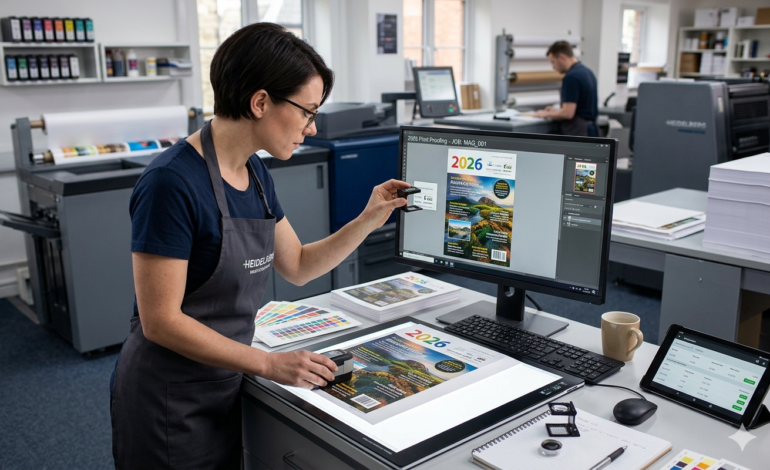
The printing industry has always been about precision. A wrong color, a misplaced logo, or an unapproved file sent to press can cost thousands of dollars in reprints. That is why print proofing software has become one of the most talked-about tools in the industry right now.
In 2026, the way print businesses handle approvals is changing fast. Gone are the days of emailing PDF files back and forth and hoping the client spotted every issue. Today, digital proofing tools are reshaping how print shops manage artwork reviews, client approvals, and production handoffs.
Here is a look at the key trends driving that change.
1. Cloud-Based Proofing Is Now the Default
A few years ago, many print shops still relied on desktop-based proofing tools or basic email workflows. In 2026, cloud-based print proofing software has become the standard.
Cloud platforms let print businesses share proof links with clients instantly. Clients can open the proof on any device — a laptop, tablet, or smartphone — without downloading anything. There is no back-and-forth over file formats or compatibility issues.
The shift to cloud is also helping remote teams. Design teams, account managers, and clients can all collaborate on the same proof in real time, regardless of where they are located.
2. On-Artwork Annotation Is Replacing Vague Feedback
One of the biggest frustrations in print proofing has always been unclear feedback. Clients would send emails saying things like “move the text a little to the left” or “the logo looks off.” Designers would guess, make changes, and send another proof. This cycle could repeat for days.
Modern print proofing software now includes on-artwork annotation tools. Clients can draw directly on the proof, pin comments to specific areas, and highlight exact elements that need changes.
This small feature has a huge impact. When a client circles a specific word and says “wrong font,” the designer knows exactly what to fix. Revision cycles get shorter. Reprints go down.
3. Multi-Stakeholder Approval Workflows Are Growing
Print jobs are rarely approved by just one person anymore. A single project might need sign-off from a brand manager, a marketing director, and the final client. Managing this over email is a nightmare.
In 2026, print proofing software with multi-stakeholder approval workflows is in high demand. These tools let print businesses route the same proof to multiple approvers in sequence or simultaneously. Each approver can leave comments, request changes, or sign off with a click.
Production does not start until all required stakeholders have approved. This removes a major source of costly mistakes — files going to press before everyone has signed off.
4. Automated Production Triggering Is Cutting Manual Handoffs
One of the most impactful trends in print proofing right now is automation. When a proof gets final approval, the next step used to be manual — someone would download the file, move it to the right folder, update the job ticket, and notify the production team.
Today, leading print proofing software platforms trigger production automatically the moment a proof is approved. The approved file routes directly to a hotfolder for RIP processing, or generates a job ticket in a Print MIS system, or sends a vendor purchase order — all without any manual steps.
This kind of automation reduces turnaround time significantly. It also eliminates human error at a critical point in the workflow.
5. Audit Trails Are Becoming a Business Necessity
Disputes happen. A client claims they never approved a proof. A vendor says the wrong file was sent. Without documentation, these disputes are expensive and time-consuming to resolve.
In 2026, a complete audit trail is no longer just a nice-to-have feature in print proofing software — it is expected. The best platforms now log every interaction: who viewed the proof, when, what comments were left, and when the final approval was given. Each entry is stamped with a timestamp, user ID, and IP address.
This kind of documentation protects print businesses from costly disputes. It also helps with compliance in industries where regulated artwork is involved, such as pharmaceutical packaging or financial print.
6. Version Comparison Tools Are Saving Time on Revisions
When a proof goes through multiple rounds of changes, it is easy for things to get confusing. Which version did the client approve? What changed between version 2 and version 3?
Version comparison is now a core feature of modern print proofing software. Clients and designers can view two versions of a proof side by side and see exactly what changed. This reduces misunderstandings and ensures everyone is looking at the correct, most recent file.
It also makes it easier to catch errors that might have crept in during revisions — something that is very hard to do when you are hunting through old email attachments.
7. Integration with Print MIS and eCommerce Is Becoming Essential
Print proofing does not happen in isolation. It is one step in a larger workflow that includes order management, design, prepress, and production. In 2026, the trend is clear: print proofing software needs to integrate tightly with the rest of the print technology stack.
When a customer places an order on an eCommerce storefront, the system should generate a proof automatically. When the proof is approved, it should feed directly into the MIS for job scheduling and costing. These connected workflows eliminate the data entry and manual file handling that slows everything down.
Print businesses that are investing in integrated platforms — where proofing, storefront, and production management all work together — are seeing real gains in efficiency and customer satisfaction.
8. High-Resolution Soft Proofing Is Reducing Hard Proof Costs
Traditionally, print shops would produce physical hard proofs for client review. These take time and cost money, especially for large format or packaging jobs.
Soft proofing — digital, on-screen proofing — has been around for years, but the quality was not always trusted. In 2026, improvements in screen calibration, color management, and high-resolution proof viewers have made soft proofing reliable enough for most print jobs.
Modern print proofing software allows clients to zoom in to 400% or more on a digital proof, checking fine details like small text, bleed areas, and color gradients. For many jobs, this eliminates the need for a physical proof entirely, saving both time and cost.
Hard proofing is still used for high-stakes, color-critical, or regulated print runs. But soft proofing is handling the majority — and the gap is closing.
Why These Trends Matter for Your Print Business
The printing industry is competitive. Customers expect fast turnaround times, fewer errors, and clear communication. Print proofing software sits right at the intersection of all three.
When approvals are slow, production gets delayed. When feedback is unclear, revisions pile up. When there is no audit trail, disputes eat into margins.
The trends shaping print proofing in 2026 — cloud access, annotation tools, automated production triggering, multi-stakeholder workflows, and deep integrations — all point in the same direction. Print businesses that modernize their proofing process are better positioned to deliver faster, reduce waste, and keep clients happy.
If your current proofing workflow still relies on email threads and manual file management, 2026 is a good time to take a closer look at what dedicated print proofing software can do for your operation. The technology has matured, the ROI is clear, and the businesses already using it are pulling ahead.